Spring Boot allows you to externalize configurations by using an application.properties or application.yml file. In this tutorial we will discuss about configuring Logging with the application.yml file.
Coding the application.yml file
In a default structure Spring Boot web application, you can locate the application.yml file under the resources folder.
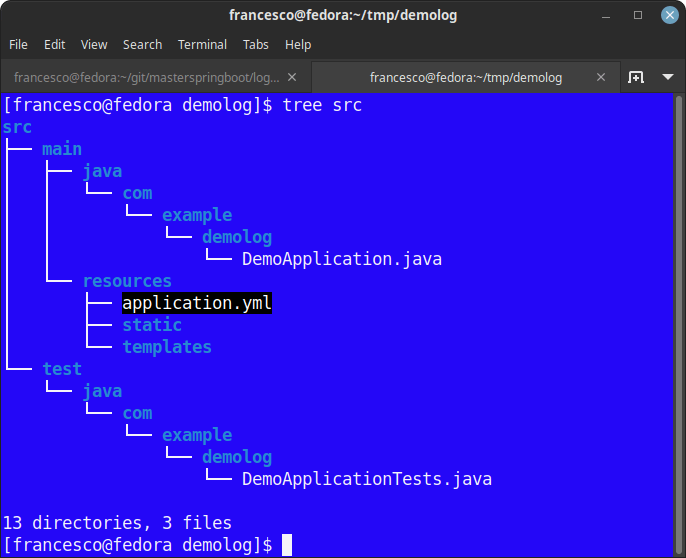
To understand how Spring Boot Logging works, let’s consider an application with an empty application.yml file.
  private final Logger log = LoggerFactory.getLogger(this.getClass());

  @RequestMapping("/")
  public String home(Map<String, Object> model) {
    log.debug("This is a debug message");
    log.info("This is an info message");
    log.warn("This is a warn message");
    log.error("This is an error message");
    model.put("message", "Hello World!");
    return "index";

  }
Then, if you start the Web application, you will see the following messages in the console:
2018-06-02 23:33:51.318  INFO 3060 --- [nio-8080-exec-1] com.demo.IndexController       : info log statement printed
2018-06-02 23:33:51.319  WARN 3060 --- [nio-8080-exec-1] com.demo.IndexController       : warn log statement printed
2018-06-02 23:33:51.319 ERROR 3060 --- [nio-8080-exec-1] com.demo.IndexController       : error log statement printed
As you can see, only log messages with level of INFO or higher are printed on the Console. Let’s learn how to change the default log level in the next section.
Setting Spring Boot logging level
To set a different logging level for any logger, add in your application.yml file the log levels under the tree logging > level.
Logging level can be one of one of TRACE, DEBUG, INFO, WARN, ERROR, FATAL, OFF. In the following application.ym we are configuring the ROOT logger to log ERROR (or higher) messages and some specific packages log levels level:
logging:
  level:
    root: ERROR
    org.springframework.web: ERROR
    com.demo: DEBUG
    org.hibernate: ERROR
The following log will be printed:
2018-06-02 23:33:51.318  DEBUG 3060 --- [nio-8080-exec-1] com.demo.IndexController      : debug log statement printed
2018-06-02 23:33:51.318  INFO 3060 --- [nio-8080-exec-1] com.demo.IndexController       : info log statement printed
2018-06-02 23:33:51.319  WARN 3060 --- [nio-8080-exec-1] com.demo.IndexController       : warn log statement printed
2018-06-02 23:33:51.319 ERROR 3060 --- [nio-8080-exec-1] com.demo.IndexController       : error log statement printed
How to set the logging pattern
To change the logging patterns, use logging.pattern.console and logging.pattern.file keys:
logging:
    pattern:
        console: %d{yyyy-MM-dd HH:mm:ss} - %msg%n
        file: %d{yyyy-MM-dd HH:mm:ss} [%thread] %-5level %logger{36} - %msg%n
After the above change in application.yml, you will see the following output in your logs:
2017-03-03 12:59:13 - This is a debug message
2017-03-03 12:59:13 - This is an info message
2017-03-03 12:59:13 - This is a warn message
2017-03-03 12:59:13 - This is an error message
Logging to a File
logging > file or logging > path key as in the following example configuration:logging:
file: /logs/application-debug.log
Using active profiles to load environment specific logging configuration
It is desirable to have multiple configurations for any application – where each configuration is specific to a particular runtime environment. In spring boot, you can achieve this by creating multiple application-{profile}.yml files in same location as application.yml file.
Profile specific keys always override the non-profile specific ones. If several profiles are specified, a last wins strategy applies.
If I have two environments for my application i.e. prod and dev. Then I will create two profile specific yml files.
application-dev.yml
logging:
  file: logs/application-debug.log
  pattern:
    console: "%d %-5level %logger : %msg%n"
    file: "%d %-5level [%thread] %logger : %msg%n"
  level:
    org.springframework.web: ERROR
    com.howtodoinjava: DEBUG
    org.hibernate: ERROR
application-prod.yml
logging:
  file: logs/application-debug.log
  pattern:
    console: "%d %-5level %logger : %msg%n"
    file: "%d %-5level [%thread] %logger : %msg%n"
  level:
    org.springframework.web: ERROR
    com.howtodoinjava: INFO
    org.hibernate: ERROR
To supply profile information to application, key spring.profiles.active is passed to runtime:
$ java -jar -Dspring.profiles.active=prod spring-boot-demo.jar
Color-coded logging output
If your terminal supports ANSI, color output will be used to aid readability. You can set spring.output.ansi.enabled value to either ALWAYS, NEVER or DETECT:
spring:
    output:
    ansi:
        enabled: DETECT
Color coding is configured using the %clr conversion word. In its simplest form the converter will color the output according to the log level.
FATAL and ERROR – Red
WARN – Yellow
INFO, DEBUG and TRACE – Green


