Spring Boot provides a simple way to configure and customize console logs using various properties. In this tutorial, we will discuss the different ways to customize Spring Boot console logs and improve the application’s readability and performance.
Configure Log Levels
Spring Boot supports various logging levels, including TRACE, DEBUG, INFO, WARN, ERROR, and FATAL. By default, the logging level is set to INFO. You can configure the logging level in your application.properties or application.yml file.
For example, to configure Logging via application.properties:
logging.level.root=INFO
On the other hand, to configure Logging using the application.yml file:
logging:
  level:
    root: INFO
You can set the logging level for specific packages and classes in the same way.
logging.level.com.example.package=DEBUG
Change Log Format
Spring Boot also allows you to customize the log format. By default, Spring Boot uses the SimpleLayout format, which prints the date, logging level, and message. However, you can customize the format using the following properties.
logging.pattern.console=%d{yyyy-MM-dd HH:mm:ss.SSS} %-5level %logger{36} - %msg%n
You can achieve the same result using the application.yml file:
logging:
  pattern:
    console: '%d{yyyy-MM-dd HH:mm:ss.SSS} %-5level %logger{36} - %msg%n'
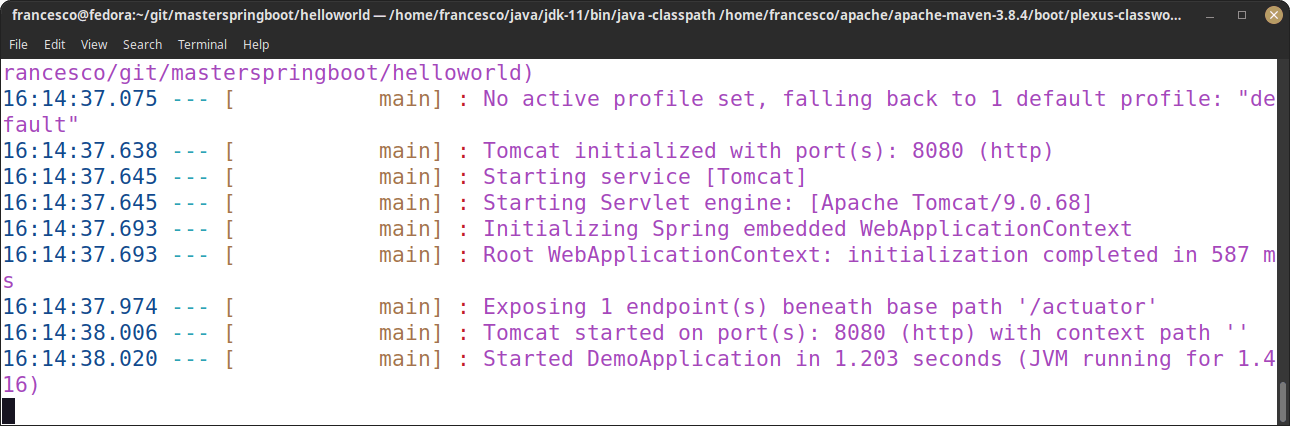
You can also specify a colour to use in the Console Pattern. For example, here is how to produce a Logging using different colors:
logging:
  pattern:
    console: "%clr(%d{HH:mm:ss.SSS}){blue} %clr(---){cyan} %clr([%15.15t]){yellow} %clr(:){red} %clr(%m){magenta}%n"
Here is the output of the Console, when you change the Colour patterns:
Write Logs to a File
In addition to console logs, Spring Boot also allows you to write logs to a file. To configure logging to a file, you can use the following properties.
logging.file.name=myapp.log
logging.file.path=/var/log/myapp
Conclusion:
Customizing Spring Boot console logs can help improve your application’s performance and readability. By setting the logging level, changing the log format, and writing logs to a file, you can tailor the logs to meet your specific needs.
Found the article helpful? if so please follow us on Socials


